
Category

Uncategorized

What is an EPD? A Practical Guide for Architects

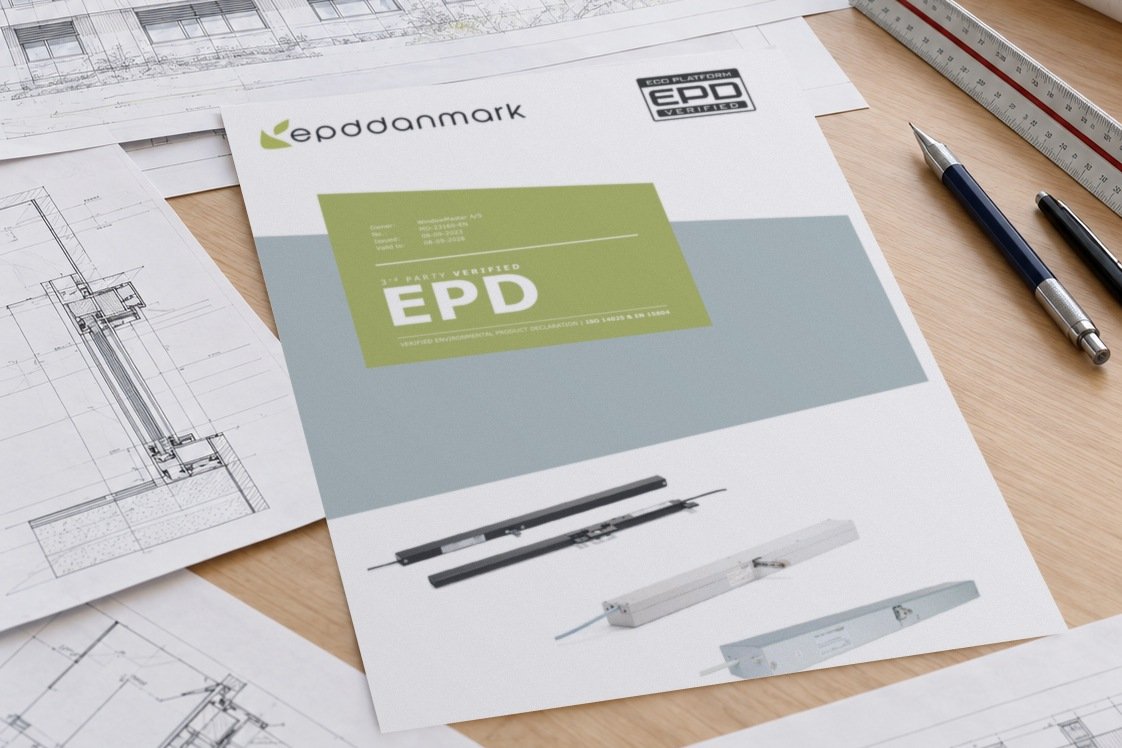
WindowMaster actuator EPD cover among architectural drawings on a desk

What is an EPD and Why Does It Matter for Your Next Green Building Specification?

More specifications and tender schedules now include a line asking for Environmental Product Declarations. It is easy to treat that line as a tick-box: the supplier says yes, a PDF is attached, and the specification moves on.

The problem is that two EPDs can look identical on a submittal register and tell you very different things. One might cover the exact product you specified. Another might cover a related product range, report results per kilogram rather than per item, or leave out the stages of the life cycle your sustainability consultant needs.

This article explains what an EPD is and how it differs from other documents that often arrive alongside it. It also explains how to read one, and what to check before you rely on it. We use WindowMaster’s published EPDs for its window actuators and control products as a worked example, because they show clearly where the useful detail sits.

What an EPD actually is

An Environmental Product Declaration is an independently verified document that reports the environmental impacts of a product across defined stages of its life cycle. The figures come from a life cycle assessment (LCA) carried out to set rules.

For construction products, two standards set the framework. ISO 14025 sets out how this type of declaration works. EN 15804 sets the core rules for construction products specifically. Because every manufacturer follows the same rules, EPDs have a consistent structure from one manufacturer to the next.

Two points are worth being clear on.

An EPD is not a rating, a certification or a claim that a product is environmentally preferable. It is a disclosure. A product with a high carbon footprint can have a perfectly valid EPD.

An EPD also reports more than carbon. Global warming potential is the figure most people mean by embodied carbon. It sits alongside other indicators such as ozone depletion, acidification, eutrophication, resource and water use, and waste.

Product-specific and industry-average EPDs

EPDs come in two broad types.

A product-specific EPD is published by one manufacturer and reports results for products it names. The figures reflect that manufacturer’s materials, suppliers and production site.

An industry-wide or industry-average EPD is published by a group of manufacturers of similar products. It represents a typical product from that sector rather than any one manufacturer’s product.

Industry-average EPDs are useful early in design, when the product has not yet been selected. Once a specific product is specified, a product-specific EPD gives a more accurate picture, and rating tools can treat the two types differently. The EPD itself will state which type it is, usually on the first or second page.

What an EPD is not

Several other documents can arrive in the same submittal package. They answer different questions, and confusing them is one of the most common sources of rework at approval stage.

Declaration of Performance

On European-made construction products, a Declaration of Performance (DoP) states how a product performs against the essential characteristics of a harmonised technical standard. For a natural smoke and heat exhaust ventilator, for example, that can include aerodynamic free area, reliability, resistance to heat, and wind and snow load.

A DoP is about technical performance. An EPD is about environmental impact. A product can have one without the other, and neither substitutes for the other in a specification.

Ecolabels

An ecolabel assesses a product against a set of criteria and, if the product meets them, awards a label. It is a pass or fail judgement made by the label’s operator.

An EPD makes no such judgement. ISO 14025 classifies EPDs as Type III environmental declarations: quantified data, independently verified, with interpretation left to the reader. Some ecolabels use EPD data as part of their assessment, but holding an EPD does not mean a product holds an ecolabel.

Carbon-neutral claims

A carbon-neutral claim generally relates to whether a product’s emissions have been offset. An EPD reports the emissions associated with the product and makes no claim about offsetting. If a project needs embodied carbon figures for an assessment, the EPD is the relevant document.
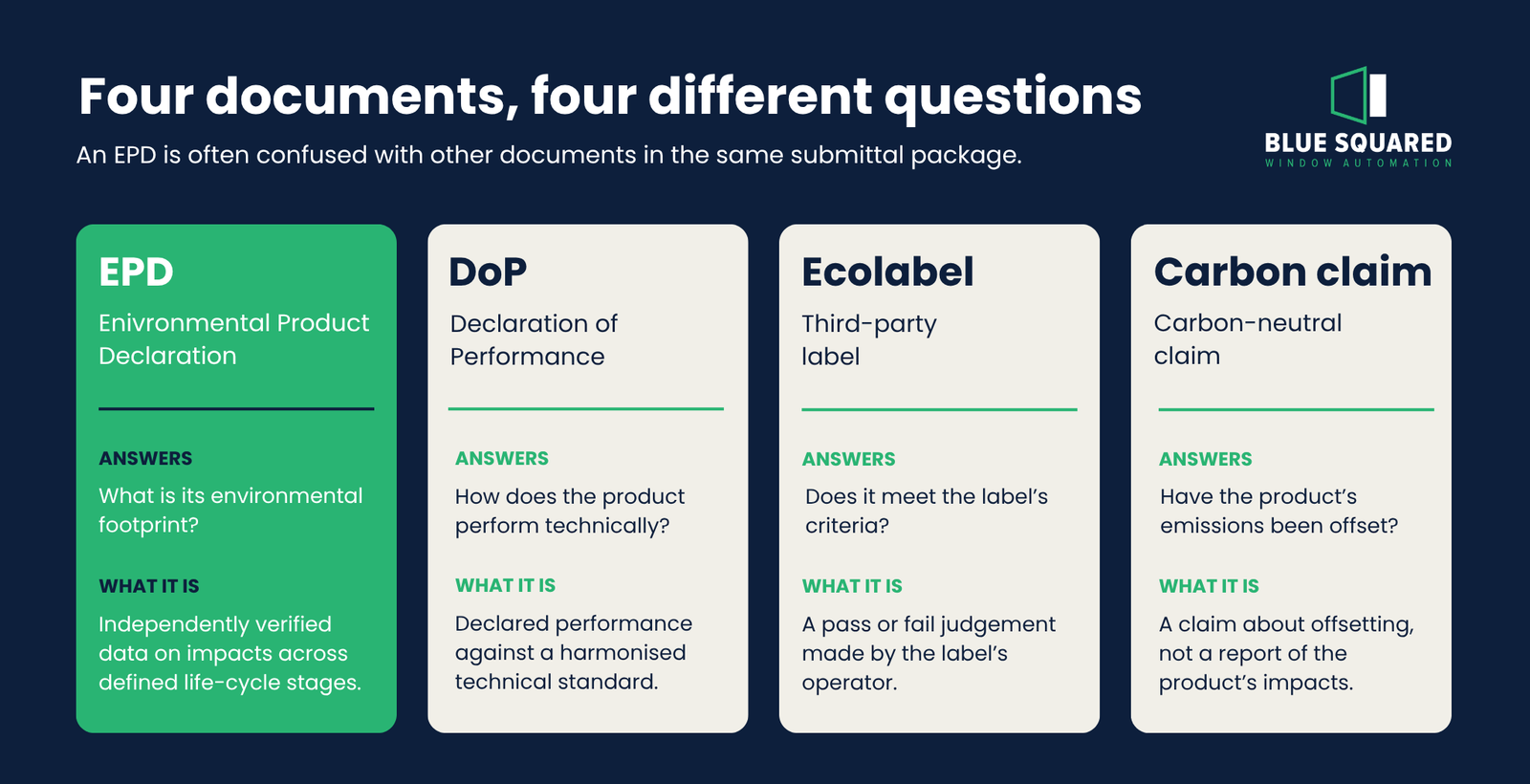
Comparison of an EPD, Declaration of Performance, ecolabel and carbon-neutral claim

Reading an EPD: a worked example

WindowMaster publishes two current EPDs relevant to automated windows:

  • The first covers its actuators.
  • The second covers control panels, keypads, an indoor room sensor, and wind and rain sensors.

Both were issued in September 2023 under the EPD Danmark program. Both were verified by an external third party and prepared to EN 15804+A2.

Working through them shows the five things to check in any EPD.

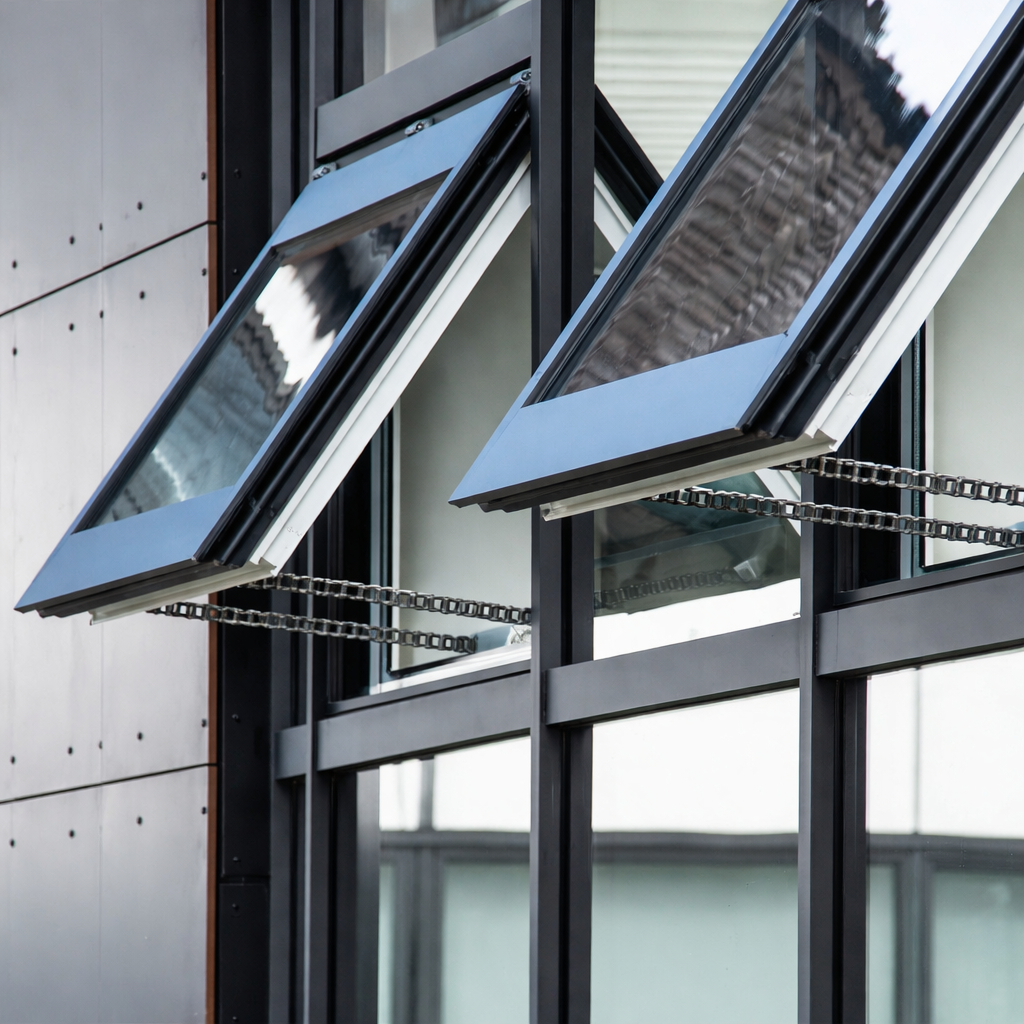
1. Which products does it cover?Chain of a WindowMaster actuator on an open commercial window

An EPD applies only to the products it names. The WindowMaster actuator EPD groups its results into large, medium and small actuators and lists the specific model families within each group. The controls EPD lists the control panels, keypads and sensors it covers.

If the product in your specification is not named in the declaration, the EPD does not cover it, however similar the product looks. Matching model numbers between the specification and the EPD is the simplest check. It is also the check most often skipped.

2. What is the declared unit?

Every EPD reports its results against a declared unit. This is where like-for-like comparisons most often go wrong.

The WindowMaster actuator EPD reports results per 1 kg of actuator, whatever the size of the actuator. The controls EPD reports results per piece.

A per-kilogram result is not the impact of one actuator. To use it, your sustainability consultant needs the weight of each actuator and the quantity on the project. The controls EPD also notes that the results for individual products need to be added together to understand the impact of a complete system. That makes the project’s schedule of actuators and controls as important as the EPD itself.

3. Which life-cycle stages are included?

EN 15804 divides a product’s life into modules:

  • A1 to A3: the product stage, covering raw materials, transport to the factory and manufacturing.
  • A4 to A5: transport to site and installation.
  • B1 to B7: the use stage, including maintenance, replacement and operational energy.
  • C1 to C4: end of life, covering dismantling, transport, waste processing and disposal.
  • D: potential benefits beyond the product’s life, such as recycling and energy recovery.

The WindowMaster EPDs declare A1 to A3, C1 to C4 and D. Modules A4, A5 and B1 to B7 are marked as not declared.

That has practical consequences. Shipping to Australia and installation are not in the figures, so any project assessment that needs those stages will have to model them separately.

It also means the EPD says nothing about what an automated window does once it is operating. The role of actuators and controls in a natural-ventilation or mixed-mode strategy sits in the use stage, which these EPDs do not cover. An EPD describes the product’s footprint. It does not measure the building performance the product is part of.
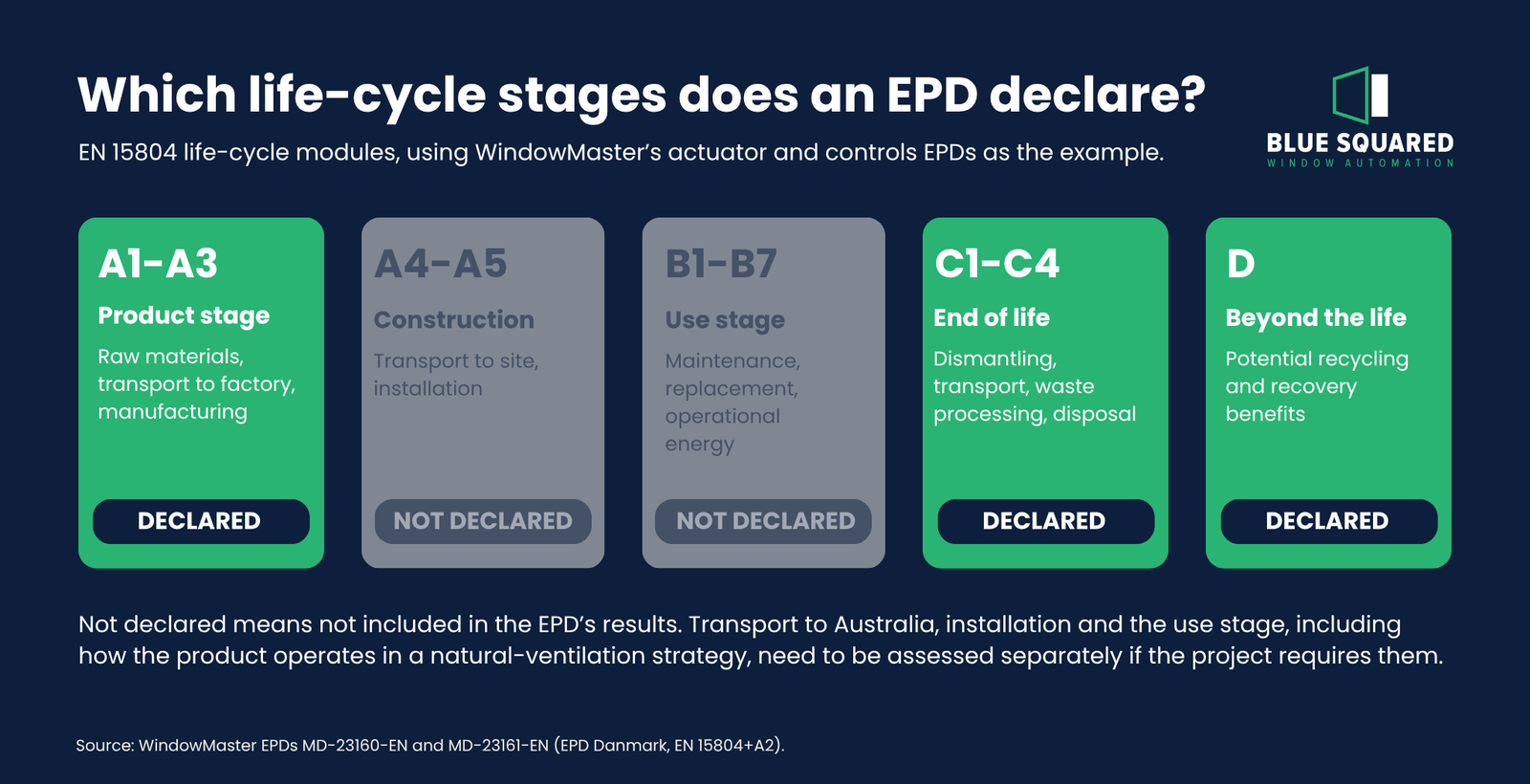
EN 15804 life-cycle modules in an Environmental Product Declaration, showing declared and undeclared stages

4. Is it current?

EPDs are time-limited. The WindowMaster EPDs state that they are valid for five years from their issue date of 8 September 2023, which takes them to 8 September 2028.

An expired EPD may still be informative, but it may not be accepted for a rating-tool submission. Check the validity date when the EPD is submitted, not just when it is first requested.

5. Can it be compared with other EPDs?

Not automatically. The WindowMaster EPDs themselves note that EPD data may not be comparable unless the EPDs comply with EN 15804 and use the same background databases.

Different declared units, different product category rules and different background data can all make a direct comparison misleading. Where comparison matters, it is a job for the project’s sustainability consultant rather than a side-by-side reading of two headline numbers.

What the interpretation section tells you

Most EPDs include a short interpretation of their own results, and it is often the most useful page for a designer. WindowMaster’s EPDs identify bought-in components and electrical parts, such as circuit boards and cables, as significant contributors. For actuators, metal parts are the largest contributor. The EPDs also note that long transport distances from Asia are significant for some indicators, while the assembly stage itself generally is not.

That kind of detail helps a project team understand where a product’s footprint comes from, rather than treating the result as a single number.

Finding and checking an EPD

Every EPD is published under a program operator, the organisation that manages the rules, verification and publication. EPD Australasia and EPD Danmark are two examples. Program operators generally maintain online registries where published EPDs can be searched.

Each EPD also carries a unique declaration number. WindowMaster’s actuator EPD, for example, is MD-23160-EN. Recording that number in the specification or submittal register makes it easy to confirm later that the document provided is the one that was reviewed.

A few quick checks will catch most problems:

  • Confirm the declaration number, issue date and validity date on the document itself.
  • Where possible, check the EPD against the program operator’s registry or the manufacturer’s current publication.
  • Look for signs of a superseded version. Older declarations can still circulate online, so a PDF found through a search engine is not necessarily the current one.
  • Confirm the EPD states that it was independently verified, and by whom.
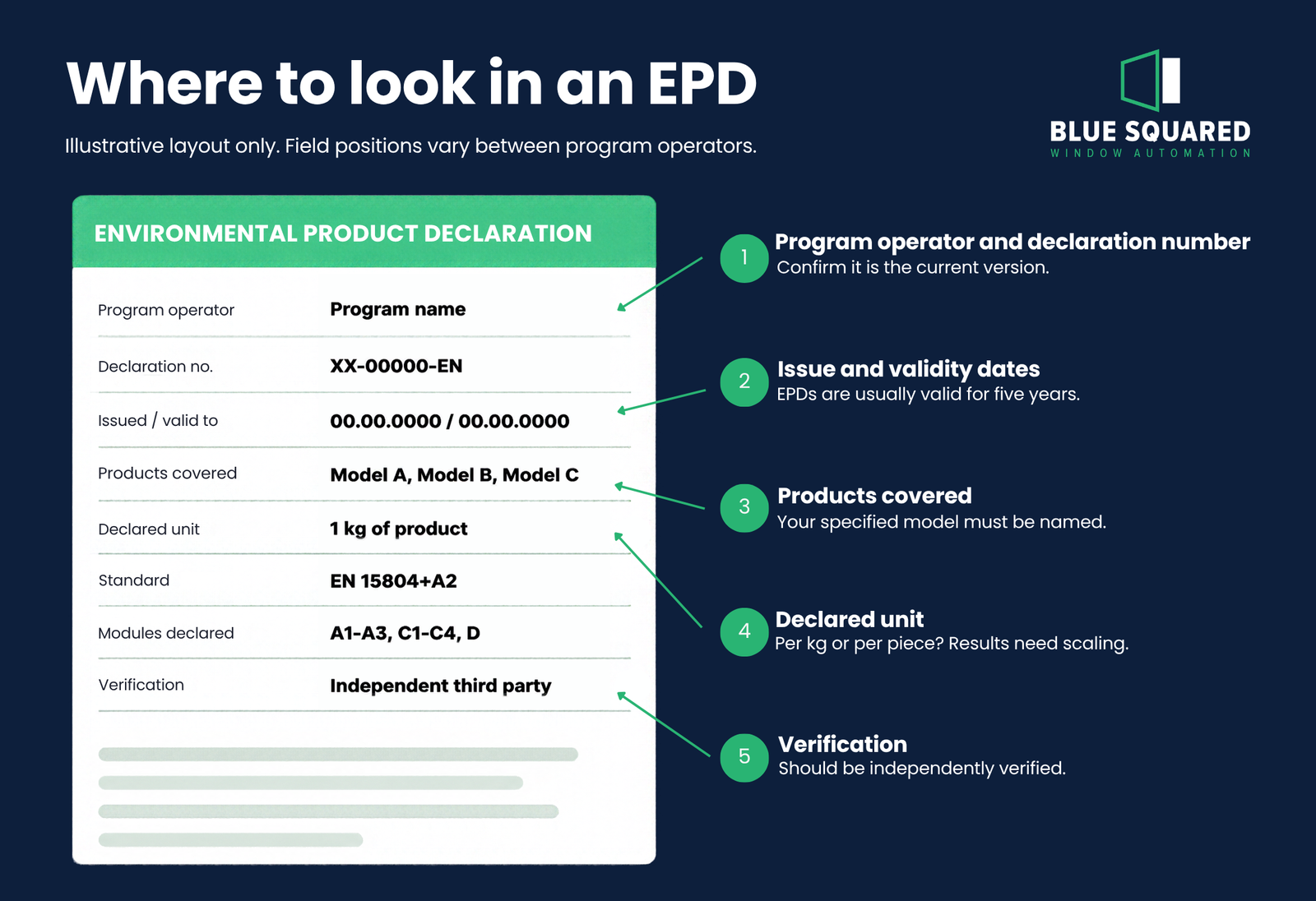
Annotated example of an EPD front page showing declaration number, validity date and declared unit

Why EPDs matter on Australian projects

Embodied carbon is now part of how many commercial and institutional projects are assessed, and EPDs are the main source of verified, product-level data for that work.

Rating tools also recognise them. Under the Green Building Council of Australia’s Responsible Products Framework, product-specific EPDs contribute to a product’s Responsible Product Value in the Green Star Buildings rating tool.

How a particular EPD counts depends on the rating tool version and the credit. In some cases it also depends on the program under which the EPD was published. Those details should be confirmed with the project’s ESD consultant before an EPD is relied on for a credit.

Where EPDs fit in a whole-of-building assessment

An EPD is an input, not an answer. On projects with embodied carbon targets, the ESD consultant typically builds a whole-of-building life cycle assessment. That assessment uses EN 15978, the building-level counterpart to EN 15804. Product EPDs supply the data for individual materials and components within that model.

That has a few implications for designers.

The consultant needs EPD data in a form they can scale. A per-kilogram result needs weights. A per-piece result needs counts. Neither is useful without the project’s quantities.

Gaps in an EPD have to be filled somehow. Where a module is not declared, or no product-specific EPD exists, the consultant will usually substitute generic data or an industry-average EPD. Knowing early which products have EPDs, and what those EPDs cover, reduces the number of assumptions in the final assessment.

Upfront embodied carbon usually comes first. It covers modules A1 to A3 and is the scope most often reported early in a project. Because EPDs report A1 to A3 consistently, it is usually the first part of the data to be used.

Practical steps for specifiers

EPDs are most useful when they are dealt with while the specification is being written, not chased at submittal stage. A few habits make a real difference:

  • Name the products. Specify model numbers clearly so they can be matched against the products listed in the EPD.
  • Ask early. Request EPDs during design development so your ESD consultant can confirm whether they suit the project’s assessment method.
  • Supply the quantities. Where results are per kilogram or per piece, the sustainability consultant will need weights and quantities from the system schedule.
  • Check the modules. Confirm the declared stages match what the project assessment requires, and flag any gaps early.
  • Check the dates. Record the EPD validity date and recheck it before final submission.

For automated windows and louvres, this ties naturally into the wider coordination of the system. The actuator and control schedule that defines how openings will operate is also the schedule that makes the EPD usable.

Questions to ask a supplier

These questions can be put to any supplier in an RFI, or adapted into a specification clause:

  1. Is there a current, independently verified EPD for each product being proposed? Please provide the declaration number for each.
  2. Is each EPD product-specific or industry-average?
  3. Which products and model numbers does each EPD cover?
  4. What is the declared unit, and can you provide the product weights or quantities needed to apply it?
  5. Which life-cycle modules are declared?
  6. Under which program operator was the EPD published, and to which version of EN 15804?
  7. When does each EPD expire, and is a revision planned?

A supplier who can answer these clearly is giving the project team data it can actually use.

Conclusion

An EPD is valuable because it is specific: specific products, a specific declared unit, specific life-cycle stages and a specific validity period. Read with those limits in mind, it gives architects and sustainability consultants verified data they can build into a project assessment. Read as a green tick, or mistaken for a performance declaration or ecolabel, it can create false confidence.

The best time to check those details is before the specification is issued.

Need EPD documentation for a project? As the exclusive Australian distributor for WindowMaster, Blue Squared can provide EPD documentation for WindowMaster actuators and control products on request. Contact us at sales@bluesquared.com.au, ideally while the automated openings are still being specified.
The Hidden Cost of Getting Window Automation Wrong on a Commercial Project

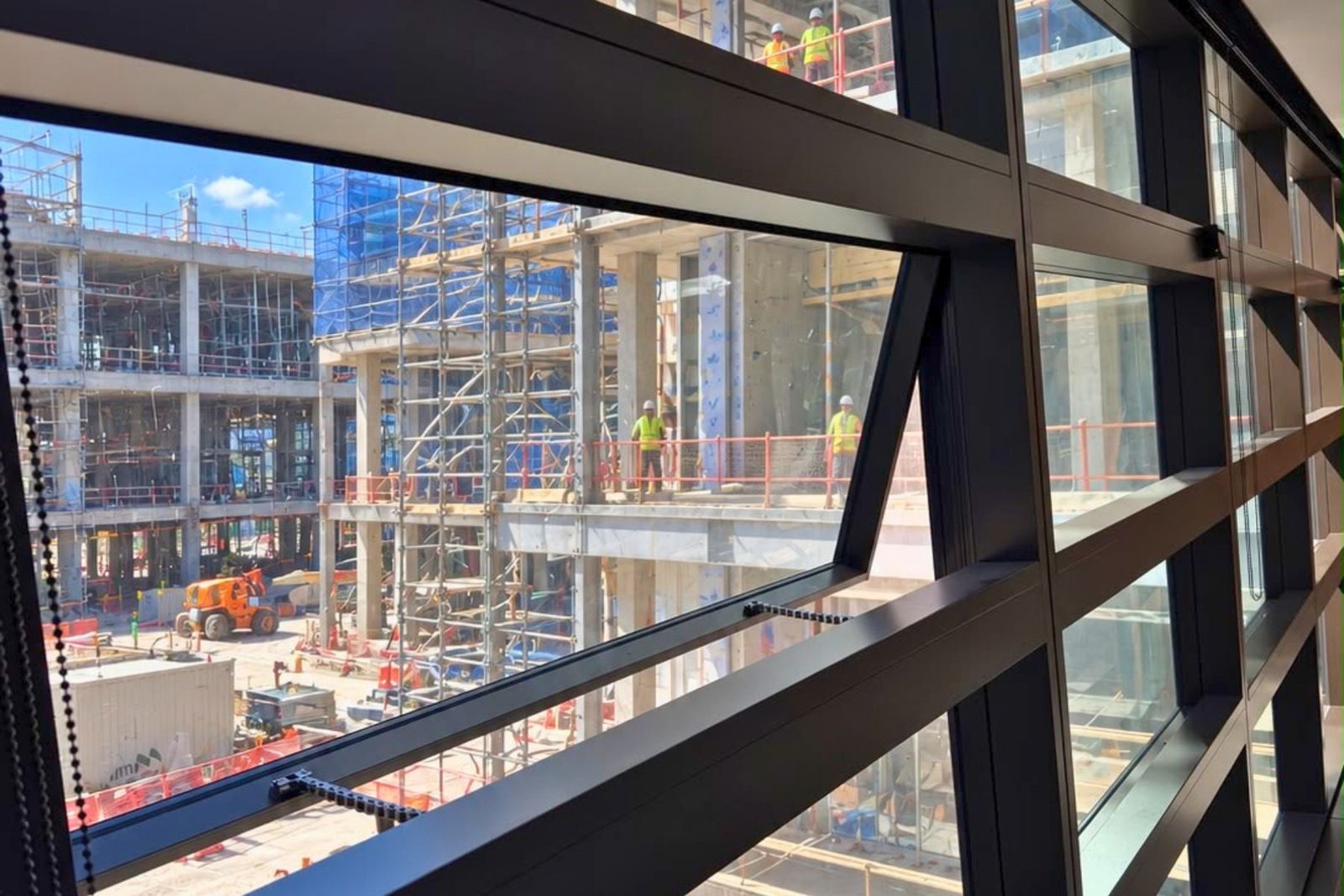
Open top-hung window with two chain actuators, overlooking an active construction site


On most commercial projects, window automation shows up as a modest line item. It might sit inside the window package, get picked up by the electrical contractor, or appear as an allowance nobody looks at closely until the facade is going up. A motor, a chain and a switch on the wall. It looks like a commodity.

That impression is where the trouble starts. An automated window or louvre is a small system that touches the facade, the electrical installation, the ventilation strategy, the BMS and, on many buildings, the fire strategy. When it is treated as a component rather than a system, the cost of getting it wrong rarely appears against the original line item. It turns up later as facade rework, unplanned cabling, variations, delays at commissioning or defects after handover.

This article looks at where those costs come from, why they are easy to miss at tender, and what builders, developers and project managers can resolve early to keep them off the programme.

Why window automation gets underestimated

Three things make automated openings easy to underestimate.

The first is appearance. Most chain actuators look broadly alike, so it is tempting to assume they are interchangeable. They are not. They differ in force, stroke and mounting, and the right one depends on the window it is driving.

The second is where the scope sits. Automation falls between trades. The window fabricator builds the sash, the electrical contractor runs the power, the mechanical engineer sets the ventilation strategy, the fire engineer may set how certain openings behave in an alarm, and the BMS contractor expects to talk to the system at the end. Unless someone is coordinating the whole, each party can reasonably assume another has it covered.

The third is timing. The information that determines a correct selection, such as sash sizes, glazing, opening distances and control requirements, is often settled progressively through design. If the automation package is priced before that information exists, or locked in without anyone checking it against the automation, the gaps tend to surface on site.

Where the cost actually shows up

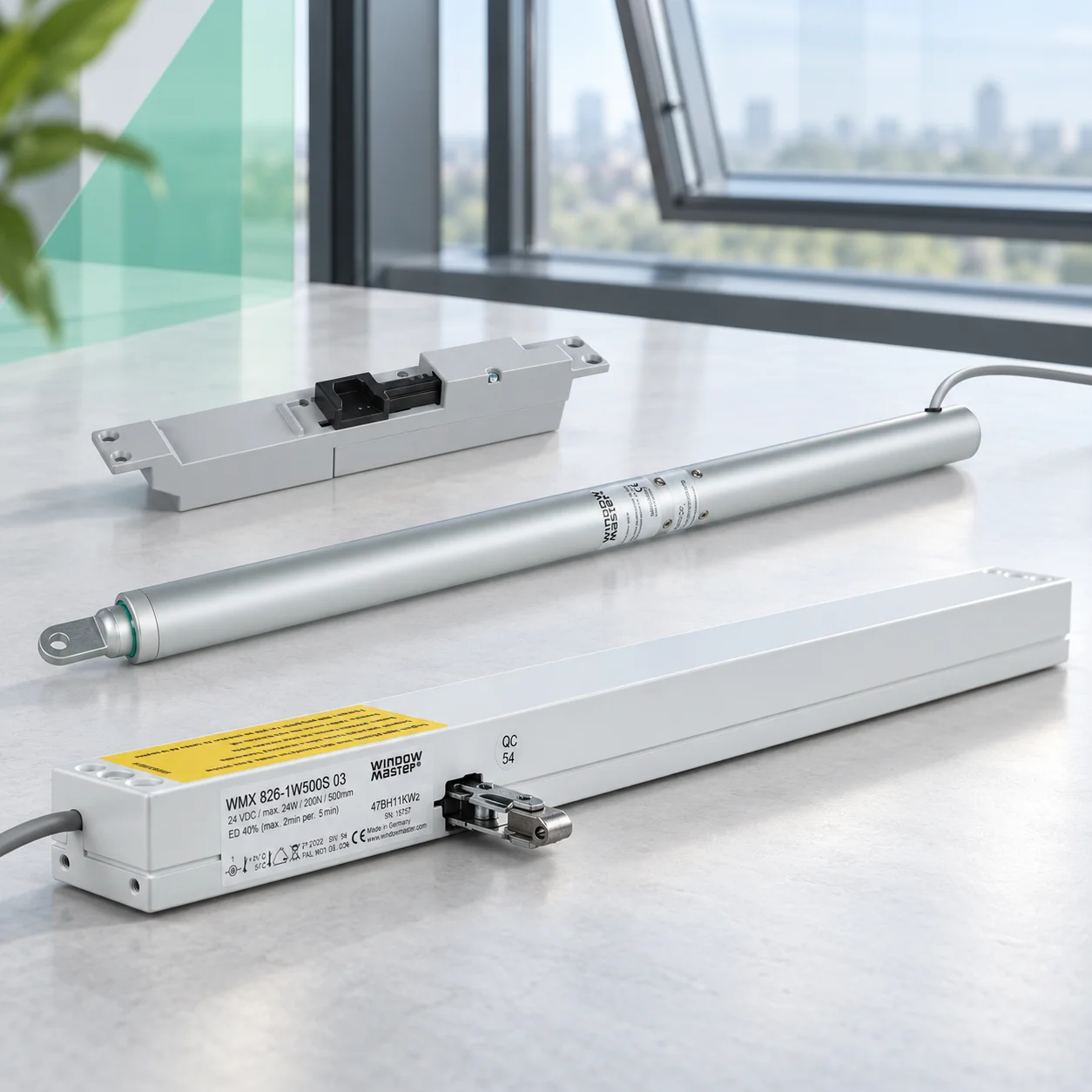
Actuators chosen from a catalogue, not from the window Illustrative image of a chain actuator, linear actuator and mounting bracket on a desk

Selecting an actuator is a calculation. It starts with the window: its opening type, width and height, whether it is single or double glazed, the glass thickness and how far the sash needs to open. From that, the sash weight and required stroke can be worked out and a suitable actuator proposed.

Skip that calculation and the result is either an actuator working too hard against a heavy sash, or one that is larger and more expensive than it needs to be. Chain length matters too. A longer chain needs larger links and a larger housing to conceal it, which adds cost and visual bulk, so the shortest chain that achieves the required opening is generally the better choice.

Wide sashes add another layer. Many are driven by two or more actuators working together, in the same way a manual awning window can need two winder handles. How many a sash needs is largely governed by the rigidity of the window profile and its ability to hold a seal around the vent, so it is set by the fabricator or profile supplier rather than by actuator power alone.

WindowMaster’s technical guidance notes that the width a single actuator can serve varies between profiles, and that adding actuators affects not only actuator cost but the associated power supplies and wiring. Finding this out after the windows have been ordered is an expensive way to learn it.

Wiring nobody planned for

Chain actuators installed along a row of automated windows, with no visible surface cabling

Cable routes to automated windows are rarely considered during specification and tender. They should be.

A window or curtain-wall profile can often conceal actuator cabling, but only if the fabricator prepares it in advance. On high-level vents, preparing the mullions so cables can be pulled through and run along the transom keeps them off the face of the facade. Left until installation, the usual alternative is surface-mounted trunking, which costs time on site and is hard to reverse once the architect or client has seen it.

Voltage belongs in the same conversation. Blue Squared’s actuator range operates on 24V DC extra-low voltage. On aluminium windows in particular, where the frame is a good conductor, that is a meaningful safety consideration if a cable is ever damaged or snagged during the life of the building. It is worth confirming the electrical approach at the same time as the cable routes.

Openings that don’t deliver what the design needs

An automated window is usually there to deliver a specific opening: a free area for natural ventilation, a controlled position for comfort, or an opening required by a smoke-control strategy. If the actuator and window together cannot achieve it, the system can operate perfectly and still fail to do its job.

Restricted openings are a common example. Some openings need to be limited to a maximum clear opening for occupant safety. An actuator that simply runs a fixed stroke may not suit that requirement, whereas a programmable actuator can be set to open to the distance the project requires. Confirming any restriction early, and selecting hardware that can meet it, avoids retrofitting restrictors or replacing actuators later.

Reveals, sills and adjacent openings can also reduce the free area actually achieved. These details belong in design, when the window, actuator and ventilation strategy can still be adjusted together.

Safety scope that appears late

Where an automated opening sits in the building changes its scope. High-level openings, out of reach of occupants, generally need less safety hardware. Low-level openings that people can reach introduce an entrapment risk that has to be assessed, and may call for presence detection such as laser sensors that stop the window moving when someone approaches.

That is a legitimate difference in scope and cost. The problem arises when it is identified after pricing. A package priced on the assumption that every opening is out of reach can grow once low-level windows are identified, and the sensors, cabling and controls they need then have to be fitted into a design that has already moved on.

Controls and interfaces left until the end

Automated openings rarely operate on their own. They may be controlled from wall switches, remotes, an app, weather and CO2 sensors, a time schedule, the BMS, the fire alarm system, or a combination. Each interface needs to be defined: what signal is sent, by whom, what the windows do in response, and who tests it.

When those questions are left until commissioning, the automation, BMS and fire services contractors can each end up waiting on the others. That is where programme time gets lost late in a job, when there is least room to absorb it.

Existing buildings carry their own risk. Where a building already has window automation, a new system from a different manufacturer will generally not interface with it. On an extension or refurbishment this is usually better treated as a question of capacity: the new work will often need its own control system as an add-on rather than a tie-in. Scoping it that way from the start avoids carrying an integration allowance that cannot be delivered.

Smoke-control applications

Where automated windows or louvres form part of a smoke-control strategy, the stakes rise. Their required performance, behaviour on a fire alarm signal, fail-safe arrangements and interfaces with the fire system are set by the project’s fire-engineered strategy and the responsible technical professionals. They are not decisions an installer or a product data sheet can make.

The commercial risk here is substitution or redesign after that strategy has been settled. Changing the openings, the components or the control arrangement can reopen engineering and approval questions the project had considered closed. Any proposed change to an opening that forms part of a smoke-control strategy should be referred back to the fire engineer before it is accepted.

Commissioning and handover

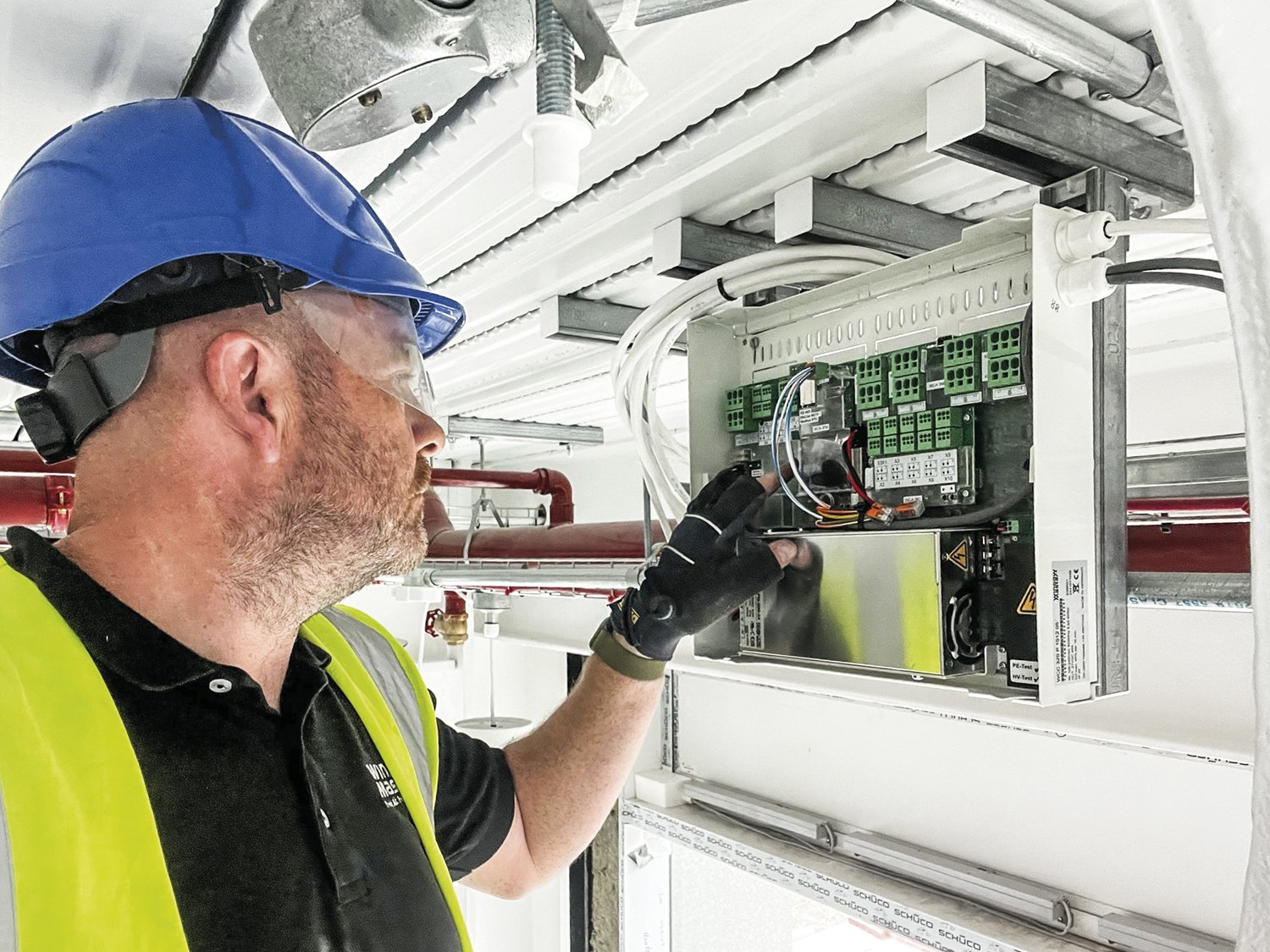
A system that has been installed is not the same as one that has been commissioned. Commissioning should confirm that every actuator operates correctly, that sensor, BMS and fire interfaces respond as designed, and that sign-off documentation is complete before handover.

Technician working on a window automation control panel during commissioningSome functions also need setting up for the specific building. Where actuators include a pressure-safety function that reverses the window if it meets an obstruction while closing, its sensitivity depends on the actuator’s closing force combined with the size, weight and configuration of the window, its hinges and the rigidity of the profile. WindowMaster’s guidance notes that this needs to be monitored and adjusted, because the forces involved can change over the life of the building. Rushed commissioning tends to resurface as nuisance faults, call-backs and frustrated facility managers.

The value-engineering trap

Value engineering is often where automation problems are introduced rather than discovered.

Because most quality actuators look similar, a cheaper alternative can appear to be a straightforward swap. WindowMaster’s guidance makes the point that appearance has no bearing on how an actuator will perform against a project’s requirements. Two actuators of similar size can differ in noise, positioning accuracy, synchronisation across wide sashes, entrapment protection and fault reporting, and those differences usually only become obvious once the building is occupied.

A substitution is only like-for-like if it has been checked against the same window information, the same opening requirements, the same control and interface requirements and, where relevant, the same fire-engineered strategy. Without that check, the saving on the line item can be smaller than the cost of what follows.

This is also why expectations should be explicit in the specification. If quiet operation, accurate positioning, synchronised movement on wide sashes, concealed wiring, entrapment protection, a particular finish or real-time fault indication to the building owner matter to the project, write them down. A specification that describes an actuator only in general terms gives little basis for assessing an alternative.

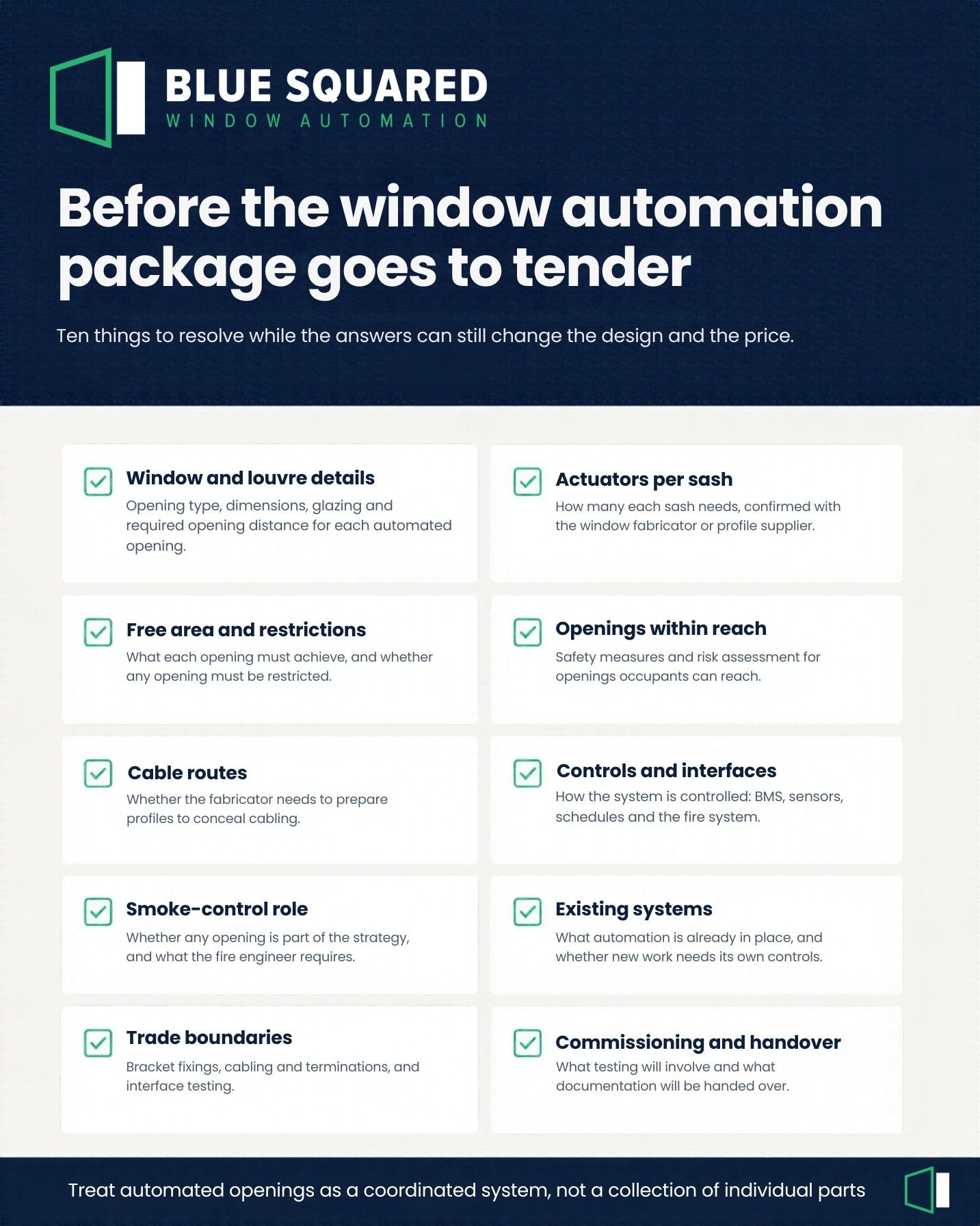
What to resolve before the automation package goes to tenderChecklist of window automation decisions to resolve before a package goes to tender

Most of the costs above come from decisions made too late, or not made at all. Before the automation package goes to tender, it is worth having clear answers to the following:

  • Window and louvre details: opening type, dimensions, glazing and required opening distance for each automated opening.
  • How many actuators each sash needs, confirmed with the window fabricator or profile supplier.
  • The free area each opening must achieve, and whether any opening must be restricted.
  • Which openings are within reach of occupants, and what safety measures and risk assessment they need.
  • Cable routes, and whether the fabricator needs to prepare profiles to conceal them.
  • How the system will be controlled, and which interfaces it needs: BMS, sensors, schedules and the fire system.
  • Whether any automated opening forms part of a smoke-control strategy, and what the fire engineer requires of it.
  • On existing buildings, what automation is already in place and whether new work needs its own controls.
  • Who is responsible at each trade boundary: bracket fixings into the frame, cabling and terminations, and interface testing.
  • What commissioning will involve and what documentation will be handed over.

None of these are unusual questions. They simply need to be asked while the answers can still influence the design and the price.

The earlier, the less expensive

The cost of getting window automation right is mostly the cost of attention: an actuator calculation, a conversation with the fabricator, a clear interface schedule and a properly planned commissioning stage. The cost of getting it wrong is spread across rework, variations, programme delay and defects, and is much harder to recover once the facade is installed.

For builders and developers, the practical lesson is to treat automated openings as a coordinated system rather than a commodity, and to bring that coordination forward. Blue Squared provides actuator sizing calculations, specification support and design input from early in a project through to installation and commissioning, so these questions can be answered before they become problems on site.

The team at Blue Squared are at hand to provide guidance, advice and a wide range of cost-effective product, service and installed solutions. Please contact our team at info@bluesquared.com.au.

Natural Ventilation in Schools: What It Should Change in Classroom Design

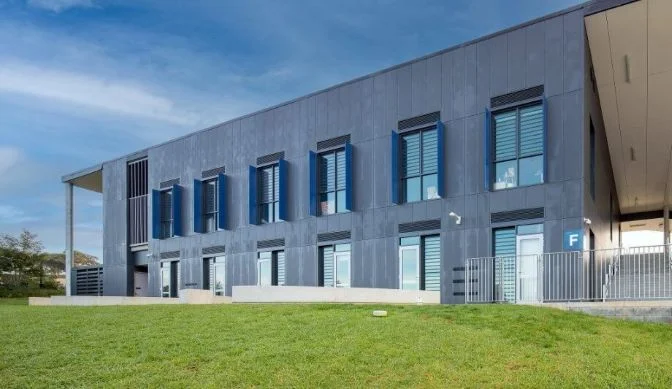
Estella Public School


Most new classrooms have windows that open. Far fewer have a natural ventilation strategy.

The difference matters. An openable window only ventilates a room when someone opens it, at the right time and by the right amount, and closes it again when the weather turns or the air conditioning starts. In a classroom, that job usually falls to a teacher who is also running a lesson.

Manually operated windows depend on someone remembering to use them, and in a busy classroom that often doesn’t happen. The building was designed for fresh air but spends much of the day sealed.

If natural ventilation is part of a school’s design intent, it needs to inform decisions about opening type, position, controls and staging from concept stage. It works poorly as an automation line item added after the facade is resolved.

Why classrooms are a particular case

Few building types put as many people in a room for as long, on as fixed a timetable, as a school. Carbon dioxide and heat build steadily through a lesson, and the room’s occupants have little control over when a break comes.

Research on this is consistent in direction, even though most of it comes from overseas. Studies by Wargocki and Wyon found that both lowering classroom temperatures (from around 25°C to 20°C) and increasing outdoor air supply improved the speed at which children completed schoolwork. A US study by Shendell and colleagues associated each 1,000 ppm increase in classroom CO2, relative to outdoor levels, with a 10 to 20 per cent relative increase in student absence.

These findings don’t translate directly into Australian climate zones or building types. They do make a clear case that classroom air quality is a learning issue, not just a comfort one.

From operable windows to a ventilation strategy

The first shift is deciding who, or what, operates the windows.

An automated system can respond to CO2 and temperature sensors, close automatically on wind or rain, run to a schedule and integrate with the building management system. Blue Squared systems can integrate with the BMS, with the protocol confirmed for each project.

In a mixed-mode building, the windows and the mechanical system need to work as a pair. Windows should close when cooling is running and open when outdoor conditions suit. Teachers can still be given a local override, but the default behaviour should not depend on someone remembering to act.

That logic has to be agreed between the architect, mechanical engineer and controls contractor during design. Left until installation, it tends to default to whatever is simplest to wire rather than what the ventilation strategy needs.

Opening type and position are design decisions

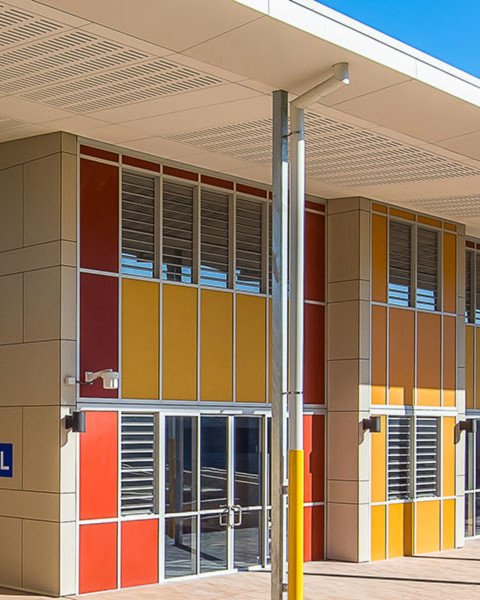
Awning windows or louvresLouvre windows in a red and yellow facade at Excelsior Public School

The choice between glazed louvres and awning windows affects both thermal performance and automation scope. Each automated awning needs its own actuator, which affects facade detailing, cabling and budget. It’s a decision worth making with the automation in mind, not before it.

High level or low level

In schools, automated openings are usually placed at high level. They sit out of reach, which simplifies safety measures. High-level openings are also generally preferred where windows operate out of hours, as they reduce security risk.

Where low-level openings are automated, the scope grows. Presence sensors can be used to stop movement when someone approaches, and a risk assessment covering entrapment should be carried out. This should be established before pricing, not discovered after.

The actuator follows the windowWindow Actuators

Actuator selection is a calculation. Window dimensions, glazing type, glass thickness and the required opening distance determine sash weight and stroke, and from there a suitable actuator. Wide sashes may need more than one actuator, positioned to share the load.

Where an opening must be restricted, confirm the actuator and controls can limit it to the dimension the project requires.

On aluminium frames, Blue Squared systems operate at 24 V DC extra-low voltage. For school buildings in particular, that is a sensible baseline.

Getting more from a purge strategy

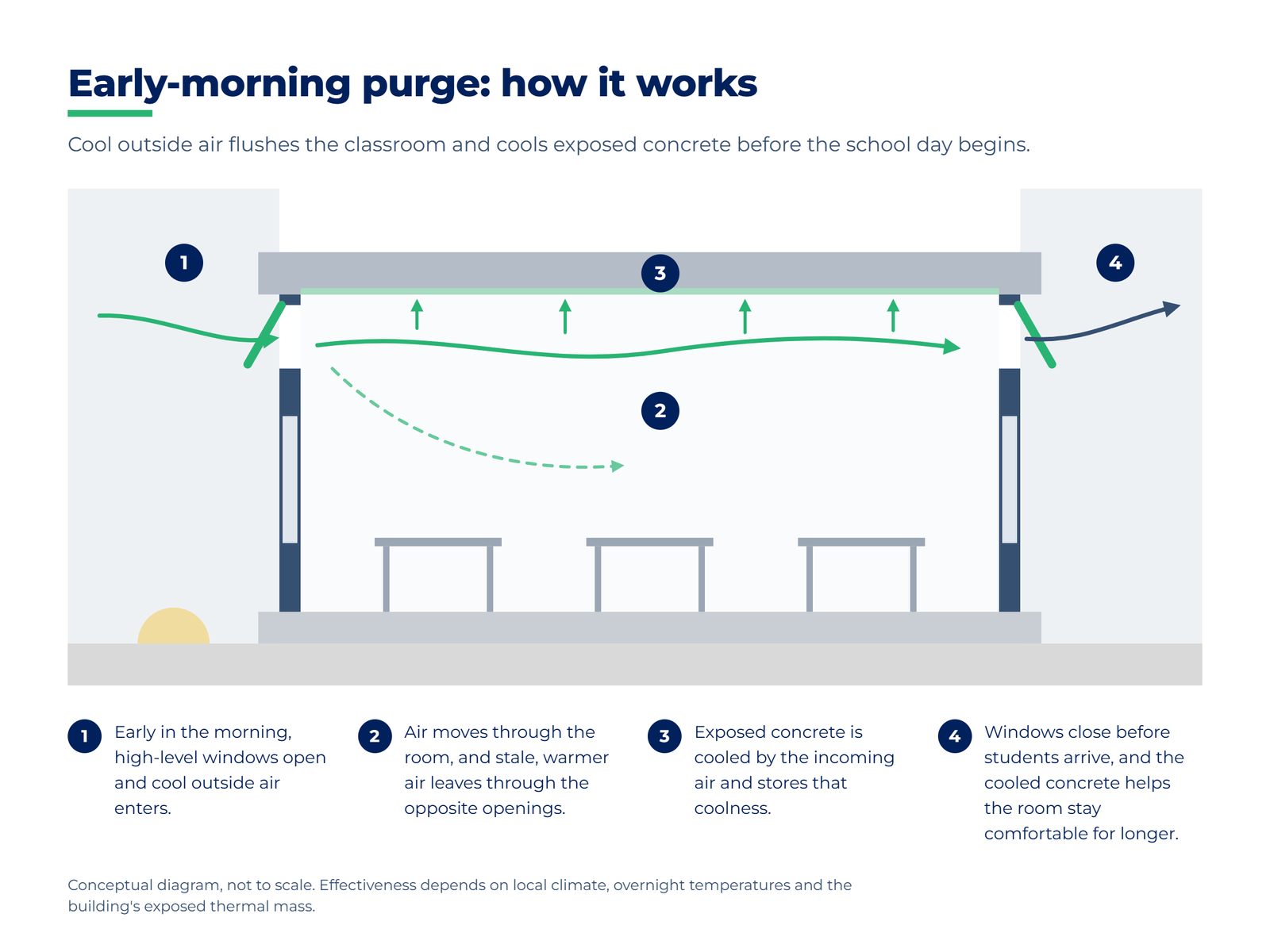
Many school specifications include a night purge: opening windows for a set period to flush stale air and cool the building before the next day.

Timing matters. Outdoor air is typically at its coolest just before dawn, so a purge scheduled for the early morning, closing before students arrive, can clear the air and cool the building’s thermal mass at the point where that coolness is most useful. The building can then stay comfortable for longer before mechanical cooling is needed.

Two caveats. Effectiveness depends on local climate and overnight temperatures. And it depends on the building having exposed thermal mass for the air to cool, which is an architectural decision made long before anyone programs a controller. Wind and rain sensors should close the openings if conditions change during a purge.

Diagram showing early-morning air cooling a classroom’s thermal mass through high-level windows

Plan for extensions and staged works

A large share of school work is extensions and staged upgrades. Where a campus already has window automation, check early whether the new works can connect to it or will need a separate system.

The answer affects control panels, cabling, BMS integration and budget. Scoping it from the start avoids a late discovery that the existing system can’t take the new openings.

What to resolve during design

Before the facade is finalised, a school project team should be able to answer:

  • What the ventilation strategy is (natural, mixed-mode or purge only) and how windows and mechanical systems hand over
  • Which openings are automated, and whether they sit at high or low level
  • Whether the openings are awning windows or louvres, and what that means for actuator numbers
  • What sensors are needed (CO2, temperature, wind, rain) and where they go
  • How the system connects to the BMS, and who owns the control logic
  • Whether exposed thermal mass is part of the design, and when purging should run
  • Whether any openings must be restricted
  • Whether any automated openings also form part of the fire strategy, which brings the fire engineer into the conversation
  • Whether an existing system on campus can be extended, or the new works need their own

The takeaway

Natural ventilation in schools is less about whether windows open and more about whether the building is designed so they open when they should. Opening type, position, controls, purge timing and thermal mass are connected decisions, and they are easiest to get right while the design is still moving.

We’ve delivered natural ventilation systems across multiple Australian schools. If you’re working on an education project, let’s talk early. Email sales@bluesquared.com.au.

Our New Sustainable Packaging

At Blue Squared we are constantly considering ways to improve the life cycle of our products and materials and be more environmentally friendly.
Recently we have reviewed the product packaging we use to store and send out our new Australian Made SLJ01 Louvre Motor which we designed and made specifically for Safetyline Jalousie Louvre Windows. We realised every time we shipped the SLJ01 Louvre Motor to our client and enormous amount of one use packaging was required to ship the louvre motor safely so that it arrived at our clients damage free.
After lots of research we decided to source packaging that could be used many times over instead of the one use cardboard and polystyrene we had previously used. We believed that the best way to do this was to source a packaging product that could be handed back to us once our louvre motor had been delivered to the client and they no longer needed the packaging, once the ‘used’ packaged was handed back we could then reuse it for the next shipment.
After lots of research we settled on packing crates and foam for our new packaging, we now pack our SLJ01 actuators in reusable crates and packing foam made from recycled plastic. This saves 4.68 m2 of cardboard packaging which adds up to a massive 1000 m2 of card board packaging per year!